Category:
PLCs, Power Supplies & I/Os
Manufacturer:
Rockwell
Group:
PLC Automation
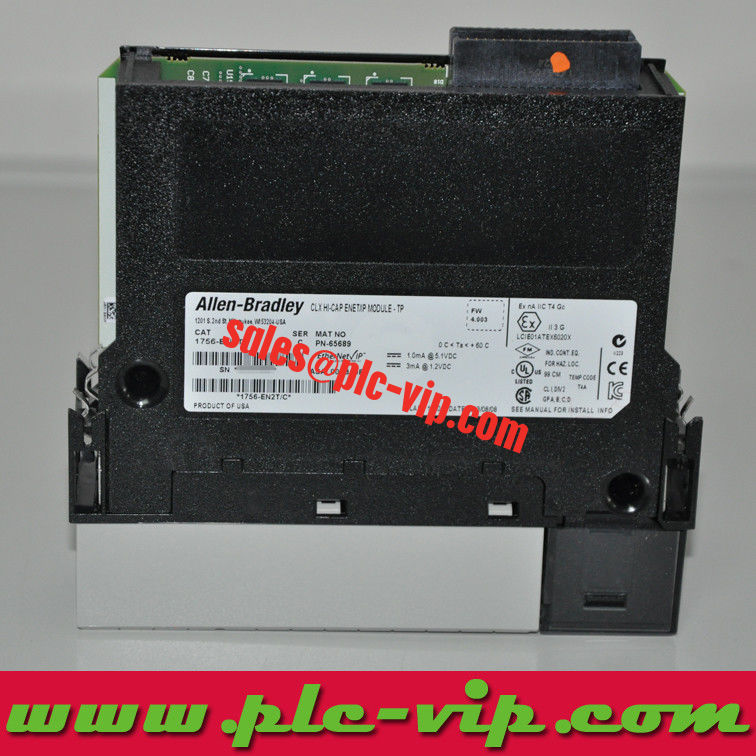
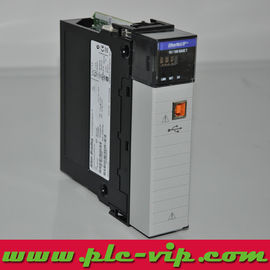
The 1756-EN2F (also written 1756EN2F) is the fibre-optic EtherNet/IP communication module for the ControlLogix 1756 platform: one multimode fibre port with an LC connector, 100 Mbps fixed with no auto-negotiation, chassis mounted and one slot wide. It carries the same EtherNet/IP stack as the copper modules but replaces the RJ45 with a fibre interface, which is the reason to choose it.
Connection capacity matches the rest of the family — 128 TCP/IP connections, 256 CIP connections and 128 + 128 CIP unconnected messages (1756-TD003 Table 1) — and the module draws 1.2 A at 5.1 V DC, 6.2 W and 21.28 BTU/hr (Table 4). The 100 Mbps fixed rate is a published limit, not a configuration choice: the module does not negotiate, so the partner port must be fixed at 100 Mbps as well. Transmitter launch power is -19 dBm into 62.5/125 µm fibre and -22.5 dBm into 50/125 µm fibre at beginning of life (Table 4).
Application |
EtherNet/IP |
Brand Name |
Rockwell (Rockwell) |
Cat Num |
1756-EN2F |
Communication |
EtherNet/IP |
Display |
Digital |
Enclosure |
None (open-style) |
Interface |
1 Multimode Fibre, LC connector (100 Mbps) |
Mounting |
Chassis |
Number Of Channels |
1 |
Standard |
CCC,CE,CSA,C-TICK,CUL,GOST,KC,MARINE,NRTL,RCM,UL
Vendor attribute list — the current Rockwell certification record, with certificate and file numbers, is in the FAQ. |
Sub Brand |
ControlLogix |
Type |
Communication Module |
UNSPSC |
32151705 |
Attribute values above are reproduced from the manufacturer's product data. For the authoritative technical record see Rockwell publications 1756-TD003 (module specifications) and 1756-IN050 (installation instructions). Certification details, with certificate and file numbers, are listed in the FAQ below.
Where the module sits in a typical system
The fibre module is used where the network has to leave the panel: a cabinet beyond the copper channel limit, a link between two buildings, or a run that crosses a drive cabinet. One LC connector carries the whole chassis to the network, and the connection counts are the same as the copper units, so an existing project moves across without re-planning connections.
Inside the rack it does the same bridging job as the copper modules: ControlNet, DeviceNet, DH+/RIO, serial and analogue modules become reachable over that one fibre link, and messages route through it to the devices behind it.
Commissioning in five steps
- Set the IP address before the module is inserted — BOOTP/DHCP server, or a static address written in Studio 5000 and sent on download. Duplicate-IP detection is active at all revisions (1756-TD003 Table 2).
- Insert the module in any 1756 chassis slot; standard supplies 1756-PA72/PA75/PB72/PB75/PC75/PH75, redundant supplies 1756-PA75R/PB75R/PSCA2.
- Cable the published port type — copper twisted pair to the category listed for the module, fibre to multimode LC where the module is a fibre unit — and stay inside the channel limit.
- Add the module to the I/O configuration in Studio 5000. The generic Ethernet module entry is enough for messaging; an EDS or Add-on Profile is needed for ring supervision or integrated motion.
- Power up and read the indicators. A dark network indicator with a dark link pair is an addressing or cabling fault, not a module fault.
Diagnostics: status indicators
Three bi-colour indicators plus the alphanumeric display cover almost every commissioning fault, so most problems are resolved at the panel without a laptop.
| Indicator |
State |
Meaning and first action |
| OK |
Flashing green |
Power-up self-test in progress; wait for the solid state. |
| OK |
Off |
No chassis power at the slot, or the module failed its self-test. |
| NET |
Green solid |
CIP connections established to at least one device. |
| NET |
Flashing green |
IP address present, no CIP connection — check the connection entry in Studio 5000. |
| NET |
Off |
No IP address; the module is not on the network yet. |
| LINK |
Green solid |
Fibre link up at 100 Mbps. |
| LINK |
Off |
No light received: fibre polarity, connector cleanliness or partner port rate. |
Indicator behaviour per Rockwell publication 1756-UM004 (ControlLogix EtherNet/IP Network Devices User Manual) and 1756-IN050.
Replacing a 1756-ENBT
The 1756-ENBT was discontinued by Rockwell on 1 November 2021 and the published replacement is the 1756-EN2T. Where the ENBT sat on a fibre segment, the EN2F is the direct substitute: same 128 TCP / 256 CIP capacity against 64 / 128 on the ENBT, same single-port role.
The electrical side changes: the ENBT draws 700 mA, the EN2F draws 1.2 A, so 500 mA more per substituted slot at 5.1 V DC. The optical side is the practical check — the EN2F runs at 100 Mbps with no auto-negotiation, so a partner port previously set to auto must be pinned to 100 Mbps before the link comes up.
Which ControlLogix EtherNet/IP module to specify
- 1756-EN2T — single copper port, 128 TCP / 256 CIP, 1 A at 5.1 V. Star topology, lowest slot draw.
- 1756-EN2TR — two copper ports, same connection counts, 1.2 A. DLR ring or linear chain.
- 1756-EN2TRXT — the dual-port module in the XT range, -25…+70 °C, conformal coated.
- 1756-EN2TP — two ports for parallel redundancy (PRP), no ring.
- 1756-EN3TR — two ports with integrated motion up to 128 axes.
- 1756-EN4TR — 512 TCP / 1000 I/O connections, 1 Gbps capable, CIP Security, redundant adapters.
- 1756-EN2F — fibre port, 100 Mbps fixed, for links beyond copper distance or through high-EMI areas.
FAQ — ControlLogix 1756-EN2F / 1756EN2F EtherNet/IP Fibre Module
Why specify the 1756-EN2F instead of the copper 1756-EN2T?
Because the run is not copper. The EN2F has one multimode fibre port with an LC connector; the EN2T has one RJ45 port. Both carry 128 TCP/IP connections, 256 CIP connections and 128 + 128 CIP unconnected messages (1756-TD003 Table 1). Fibre is the right choice where the distance exceeds the copper channel limit or where the cable passes through a high-EMI area such as a drive cabinet.
Can the EN2F link at 10 Mbps or negotiate its rate?
No. Table 4 gives the fibre port as 100 Mbps with no auto-negotiation. The partner port has to be fixed at 100 Mbps; a switch left on auto may stay down or come up at a rate the module does not publish.
Which fibre and connector does it need?
Multimode fibre with an LC connector, launched at -19 dBm minimum into 62.5/125 µm fibre and -22.5 dBm into 50/125 µm at beginning of life, with an allowance of -1 dB at end of life (Table 4). Clean the LC ferrules before the first power-up; a dark LINK indicator on a known-good partner port is usually contamination or swapped transmit and receive.
What firmware and software versions are required?
Firmware 2.x needs RSLogix 5000 15.02.00 or later with RSLinx 2.51 or later and runs at 10,000 packets/s. Firmware 3.6 or later needs 18.02.00 or later, raises the packet rate to 25,000 packets/s and supports up to eight integrated-motion axes (Table 3).
What are the environmental limits and certifications?
Operating 0…60 °C in a Series C chassis and 0…50 °C in a Series B chassis; storage -40…85 °C; 5…95% RH non-condensing; 2 g vibration at 10…500 Hz; 30 g shock; CISPR 11 Class A; ESD 6 kV contact and 8 kV air; surge ±2 kV line-earth; T4; open-style (Tables 4 and 5). Certifications: c-UL-us UL E65584 and Class I Division 2 UL E194810, CE to 2014/30/EU, RCM, ATEX 2014/34/EU II 3 G Ex ec IIC T4 Gc under UL 22 ATEX 2818X, UKEX UL22UKEX2604X, UKCA, FM Class I Division 2, KC, ODVA conformance and CCC 2020122309111998 (Table 6).
How much backplane current does the fibre module draw?
1.2 A at 5.1 V DC plus 3 mA at 24 V DC, dissipating 6.2 W and 21.28 BTU/hr, with the isolation barrier rated 30 V continuous basic insulation and type tested at 980 V AC for 60 s (1756-TD003 Table 4). The slot budget is one wide, so a 1756-A4 chassis with this module leaves three slots.
Can fibre and copper EtherNet/IP modules sit in the same chassis?
Yes. Each module carries its own IP address and its own connection set — 128 TCP and 256 CIP per module (Table 1) — so an EN2F, an EN2T and an EN2TR can share a chassis without competing for connections. The choice per slot is the media, not the protocol.
Which chassis and power supplies are approved for it?
Any slot of 1756-A4, A7, A10, A13 or A17 with the 1756-PA72, PA75, PB72, PB75, PC75 or PH75 supply, or the redundant PA75R, PB75R and PSCA2 pairing (Table 4). A 12 Mbps USB port on the front is for local configuration, not for network traffic.
Data sources. Technical values on this page come from Rockwell publications 1756-TD003 (ControlLogix Communication Modules Specifications), 1756-IN050 (1756 EtherNet/IP Communication Modules, installation instructions), 1756-UM004 (ControlLogix EtherNet/IP Network Devices User Manual) and the manufacturer's product page for 1756-EN2F. Values re-checked 15 November 2026.