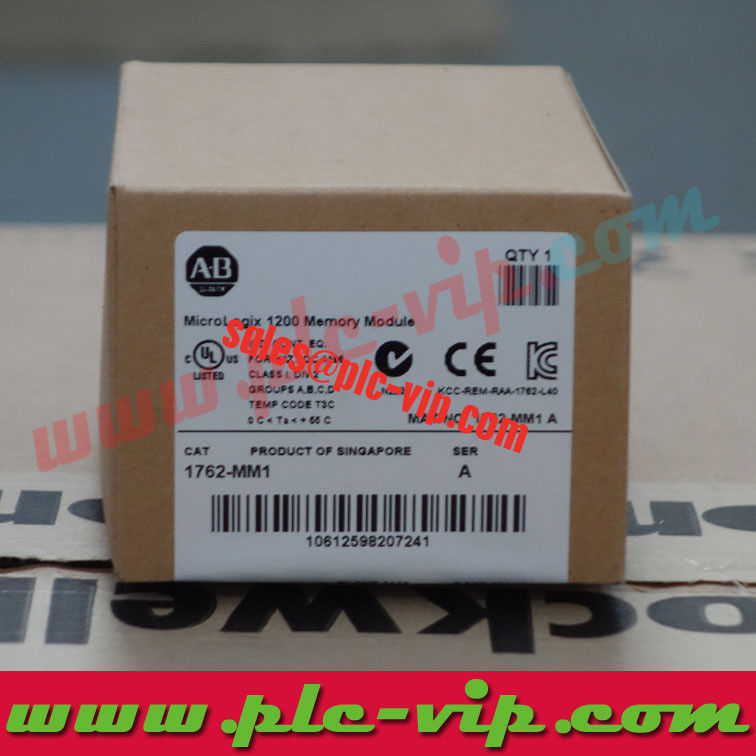
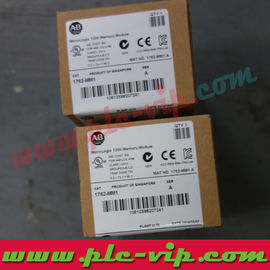
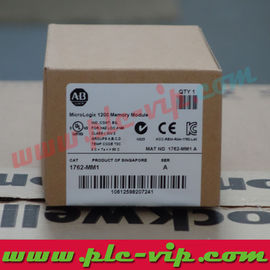
Allen Bradley PLC 1762-MM1 / 1762MM1
-
-
Large Image :
Allen Bradley PLC 1762-MM1 / 1762MM1
|
Product Details:
| Place of Origin: |
Made in SINGAPORE |
| Brand Name: |
PLC Module |
| Certification: |
All goods we supply are 100% original factory sealed with 1 year warranty! |
| Model Number: |
Allen Bradley PLC 1762-MM1 / 1762MM1 |
Payment & Shipping Terms:
| Minimum Order Quantity: |
1 /PCS |
| Price: |
$42.00 (USD/PCS) |
| Packaging Details: |
100% original new |
| Delivery Time: |
IN STOCK; 4-6 weeks for ordering |
| Payment Terms: |
Paypal, T/T and Western Union. |
| Supply Ability: |
10 PCS |
|
Detailed Product Description
 1762-MM1 Rockwell MicroLogix 1200 memory module
Category:
PLCs, Power Supplies & I/Os
Manufacturer:
Rockwell
Group:
MicroLogix 1200 / 1762
1762-MM1 is the memory module — Memory module for the MicroLogix 1200.
These accessories were the parts that turned a base 1200 brick into a controller with a clock, an archive and a replaceable terminal block. Some are still orderable, some are not, and the difference decides whether a panel can be repaired from stock.
Product Specifications 1762-MM1 (PDF)
Catalog number |
1762-MM1 |
Description |
Memory module for the MicroLogix 1200 |
Used with |
MicroLogix 1200 controllers |
Class |
MicroLogix 1200 accessory |
Lifecycle status |
Discontinued August 31, 2021 |
UPC |
612598207244 |
Warranty |
1 year standard |
Publication |
1762-UM001 |
Attribute values above are reproduced from the manufacturer's product data. For the authoritative technical record see Rockwell publications 1762-UM001 (module specifications) and 1761-SG001 (installation instructions). Certification details, with certificate and file numbers, are listed in the FAQ below.
What it is for
Memory module for the MicroLogix 1200.
The memory module holds a copy of the program independently of the controller's Flash memory, so a replacement brick can be loaded without a laptop. The clock module keeps time across a power cycle for timestamped faults and time-based control.
The terminal base is the removable wiring block on a 40 point controller. It exists as a separate catalog number because a damaged block should not condemn the whole controller.
Fitting
Memory and clock modules fit into the controller's option slot; the combination module does both in one part, which is why 1762-MM1RTC exists alongside 1762-MM1 and 1762-RTC.
Replacing a terminal base means transferring the field wiring terminal by terminal. Photograph the block before removal — the labels are on the block, and a mixed-up block is a shorted input.
Availability and stocking
Lifecycle on the Rockwell product page: Discontinued August 31, 2021. Where a lead time is published it is the estimated factory lead time, not shelf stock.
The accessories that are still active are worth keeping on the shelf: they are the difference between a ten-minute repair and a wait for delivery.
Buying a used unit
For discontinued accessories, condition matters more than price. A memory module with bent pins is scrap; a terminal base with heat damage has been overloaded and will fail again.
Check the catalog number against the controller's own option list before buying. A module that fits the slot but is not supported by the firmware will not configure.
Related parts
The rest of the 1200 accessory line — programming cables, the 1761-NET-AIC converter for DH-485 — is shared with the MicroLogix 1000 family. Panels that mix generations usually share those parts.
Controllers: 1762-L24 and 1762-L40 bricks, twelve catalog numbers in all, all discontinued between August and October 2021.
FAQ — 1762-MM1
What is 1762-MM1?
Memory module for the MicroLogix 1200.
Which controllers use 1762-MM1?
MicroLogix 1200 controllers, 1762-L24 and 1762-L40.
Is 1762-MM1 still available from Rockwell?
Lifecycle status: Discontinued August 31, 2021.
Does the memory module replace the controller program memory?
No. It holds an archive copy; the controller still runs from its own Flash memory.
Can a terminal base be replaced in the field?
Yes, but transfer the wiring one terminal at a time and photograph it first.
Data sources. Function and part identity come from the Rockwell product page of the catalog number; slot and archive behaviour follows 1762-UM001. Any attribute a publication does not print is marked Not published rather than taken from a distributor page. Catalog number, packaging and stock status are the stock record of this listing.
1762-MM1: MicroLogix 1200 memory module
1762-MM1 is an accessory module for the MicroLogix 1200 controller, documented here from the Rockwell controller manual so that the accuracy, the backup behaviour and the service interval are stated together.
| Specification | Value |
|---|
| Catalog number | 1762-MM1 |
| Function | Memory module only, user program and data backup |
| Capacity | Stores one user program at a time |
| Uses | Program and data transport without a computer, program compare, data file download protection, write protection |
| Write protection | Write once, read many, enabled from the programming software |
| Removal and insertion | Supported under power, except during a transfer |
| Transfer indication | RUN LED flashes while the program is transferred to or from the module |
| Combined variant | 1762-MM1RTC adds the real-time clock in the same module |
| Source | 1762-UM001 controller user manual, memory module section |
The module carries one program, and the manual is explicit about that limit. It is a transport and a reference store, not a library: a shelf of modules works only because each one is labelled with the machine and the revision it holds.
Its four functions are worth separating. Backup restores a program, compare proves the program in the controller matches the image, download protection keeps tuned data through a program change, and write protection makes a module read only. A maintenance procedure that uses only the first of the four is using a quarter of the part.
The questions this page answers are narrow: how accurate the clock is at cabinet temperature, whether the battery can be replaced, and whether the memory image can be moved while the machine is running. The table carries the published answers, and the notes below carry the operating consequences.
The accuracy table is the part of this page worth reading twice. Over a thirty one day month the published worst case runs from tens of seconds at normal ambient to a couple of hundred seconds at elevated temperature, and a machine that stamps a batch with a clock that drifts by minutes per month will disagree with the plant historian within a year.
Program comparison is the feature that catches the wrong upload. The controller compares its program with the image in the module and reports the difference, so a technician who has loaded a two year old image is told before the machine runs, rather than after a sequence step fails.
Invalid time data is rejected rather than accepted. The clock refuses values that are outside the valid calendar, so a mistyped year does not silently become a wrapped timestamp, and the programming software is the place where that rejection is seen.
Battery life is quoted in years under a stated temperature, and the same cell behaves differently in a hot cabinet. The published five year figure at forty degrees C is a design life rather than a guarantee, and a service plan that ignores the ambient temperature will replace modules early or late, both of which are expensive.
Data file download protection is the answer for recipes. It allows the data that has been tuned on site to survive a program download, which is exactly what a change control process needs when the logic must be updated but the current product settings must not be lost.
Disabling the clock before a module is placed in long term storage reduces the drain on a cell that is not replaceable. That small step is the difference between a spare that is still good after a year on a shelf and one that has to be discarded unused.
The fourteen day warning is the maintenance deadline. When the battery low bit sets, the clock keeps running as long as the controller is powered, but a power cut during that window loses the time and any timestamped data with it, so the module is replaced on the indication rather than at the next planned outage.
One program per module sounds like a limitation and is actually the management rule. A module holds a single image, so labelling it with the machine, the revision and the date is the only way a stores shelf stays usable after a year, and an unlabelled module is a future outage.
A memory module and a real-time clock are separate functions in the same slot, and the combined part exists because most projects want both. Ordering the two separately is possible but doubles the fitting work, and the combined module is the usual choice for a machine that needs both backup and timestamps.
Removal and insertion under power is a deliberate feature of the memory module, and it comes with a rule: the module is safe to move except during a transfer, and a transfer is visible because the RUN indicator flashes. In a live panel that indicator is the difference between a safe swap and a corrupted image.
These modules fit under the port cover on the controller, and the cover is part of the enclosure protection. Leaving the cover off after a module was fitted exposes the connector to metal dust and to inadvertent contact, and the manual assumes the cover is replaced before the panel is closed.
A real-time clock in a controller is never about the time display. It is about the timestamp on an alarm, the shift boundary in a production report, and the interval between two events that has to survive a power cut, and those three uses are why an accuracy figure in seconds per month matters more than the clock format.
Write protection turns the module into a one way store. A protected module cannot be overwritten from a controller, which is what makes it usable as a reference image carried between machines, and it also means a protected module has to be unprotected deliberately before it can be refreshed.
Label every module with machine and revision, enable write protection on reference images, and swap modules only when the RUN indicator is not flashing.